BLOG
That Actually Matter (And How to Actually Use Them)
Most ESLint setups don’t fail because they are missing rules.
They fail because they include rules that don’t solve real problems.
In many projects, ESLint ends up being either too strict (slowing everyone down) or too weak (missing actual bugs). The goal is not to add more rules, it’s to add the right ones.
A well-configured ESLint setup should do one thing really well:
make common mistakes hard or impossible to write.
The rules below are not just theoretical. They target issues that show up in real-world applications, especially in Angular and TypeScript projects, where bugs are often subtle, async-related, or hidden behind “working” UI.
Base Setup (so these rules actually work)
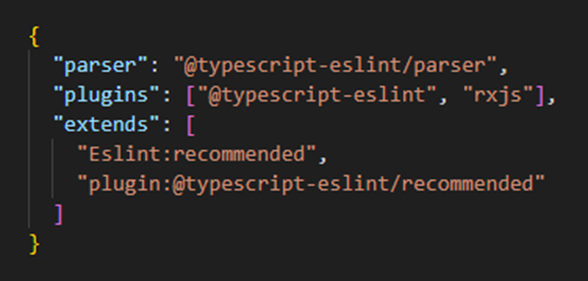
Before adding advanced rules, make sure you have the correct setup:

The .eslintrc.json should include:
.png)
- no-floating-promises
One of the easiest ways to introduce bugs in a modern frontend app is to call an async function and forget to handle it. This happens a lot in Angular services, effects, or event handlers.
The problem is not obvious. The code runs, the UI updates, and everything looks fine, until something fails silently and leaves your app in an inconsistent state.
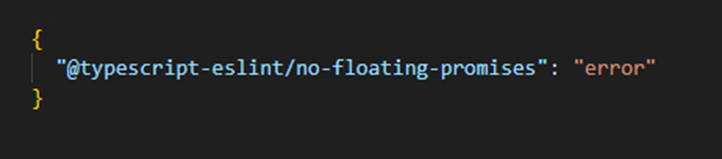
This rule forces you to handle every promise intentionally.
Configuration:
.png)
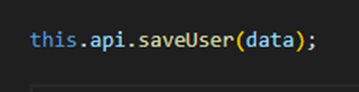
Example:
- Problematic: promise is ignored
.png)
- Correct: properly handled
.png)
In practice, this rule alone can catch a surprising number of real bugs, especially in API-heavy applications.
- strict-boolean-expressions
JavaScript’s truthy and falsy behavior is convenient, but it’s also a source of subtle bugs. A condition that works today can break tomorrow depending on the data.
This is common in forms, API responses, or optional fields where values like empty strings or 0 are valid but treated as false.
This rule forces you to be explicit about what you are checking.
Configuration:
.png)
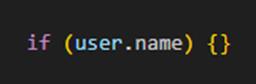
Example:
- Problematic: ambiguous condition
- Correct: explicit check
.png)
It may feel stricter at first, but it makes your logic much easier to reason about in the long run.
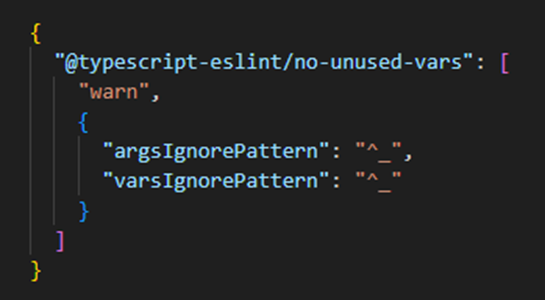
- no-unused-vars (practical config)
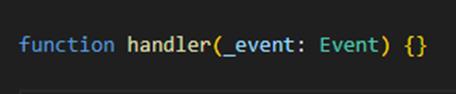
Unused variables often mean something is wrong, leftover code, incorrect logic, or missed refactoring. But there are also valid cases where a parameter is required but not used, especially in Angular callbacks or interface implementations.
Instead of disabling the rule, a better approach is to allow intentional unused variables using a naming convention.
Configuration:
.png)
Example:
.jpg)
This keeps the rule useful without making it annoying.
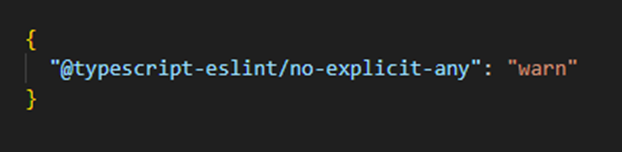
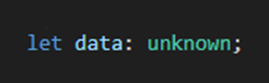
- no-explicit-any
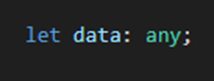
Using any is often the fastest way to “fix” a TypeScript error, and the fastest way to lose all type safety.
In real projects, this usually starts small and spreads quickly, especially when dealing with API responses or legacy code.
This rule doesn’t force you to eliminate any completely, but it makes you think before using it.
Configuration:
.png)
Example:
- Problematic:
.png)
- Correct:
.png)
Over time, reducing any usage has a noticeable impact on code quality and confidence.
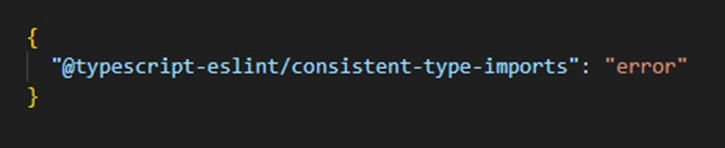
- consistent-type-imports
In TypeScript, not all imports are the same. Importing something as a type versus a runtime value affects your final bundle.
In larger Angular applications, this can lead to unnecessary code being included without you realizing it.
This rule enforces a clear distinction.
Configuration:
.png)
Example:
.jpg)
It’s a small change, but it improves clarity and helps keep your builds cleaner.
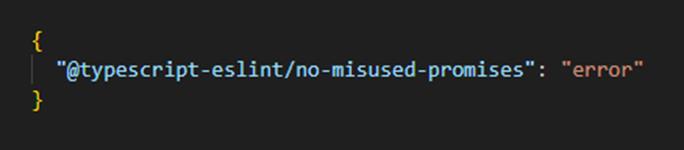
- no-misused-promises
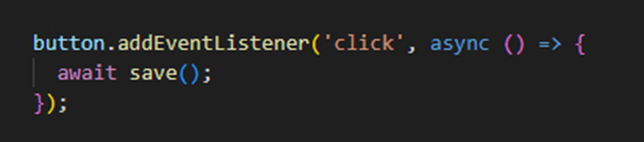
Async functions don’t behave correctly in every context. A common mistake is passing them directly into event handlers or callbacks.
This shows up often in UI code, where async logic is triggered by user interaction.
The issue is that these environments don’t always handle promises the way you expect.
Configuration:
.jpg)
Example:
- Problematic:
.png)
Catching this early helps avoid unpredictable UI behavior and hard-to-track bugs.
- no-unnecessary-condition
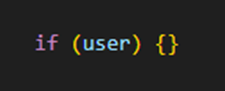
As applications grow, developers often add defensive checks that are no longer needed. Over time, this creates noisy and misleading code.
For example, checking if something exists when TypeScript already guarantees it does.
This rule helps remove that noise.
Configuration:
.png)
Example:
- Problematic: always true
.png)
Cleaner conditions make the code easier to understand and reduce false assumptions.
- switch-exhaustiveness-check
One of the most valuable rules when working with union types or enums.
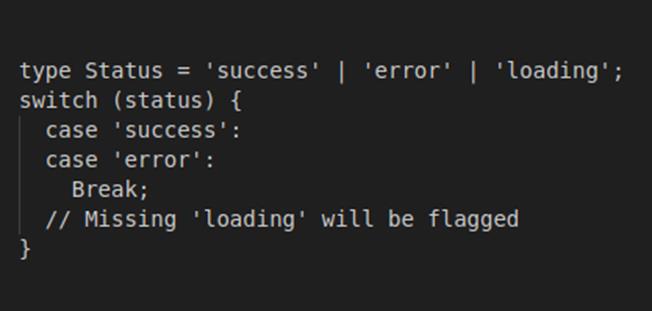
In real applications, new states get added over time, loading states, error cases, new API responses. If your switch statements are not updated, bugs appear silently.
This rule ensures that every possible case is handled.
Configuration:
.png)
Example:
.jpg)
This becomes extremely valuable as your code evolves.
- complexity / max-lines
In growing Angular applications, components and services tend to become too large and too complex. At some point, even small changes become risky.
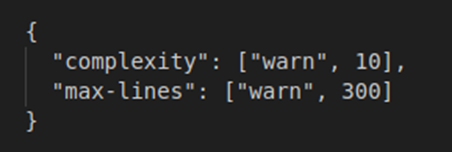
These rules don’t fix the problem automatically, but they highlight where things are getting out of control.
Configuration:
.png)
When these warnings appear, it’s usually a sign that something should be split or refactored.
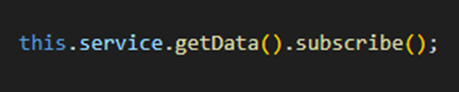
- rxjs/no-ignored-subscription (Angular)
Memory leaks in Angular are often caused by unmanaged subscriptions. This is one of the most common real-world issues, especially in larger applications.
It usually doesn’t break immediately, but over time it leads to performance issues and unpredictable behavior.
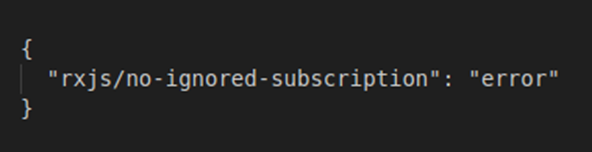
This rule ensures that subscriptions are not ignored.
Configuration:
.png)
Example:
- Problematic: subscription is not handled
.png)
In practice, this pushes developers toward safer patterns like async pipe or controlled unsubscription.
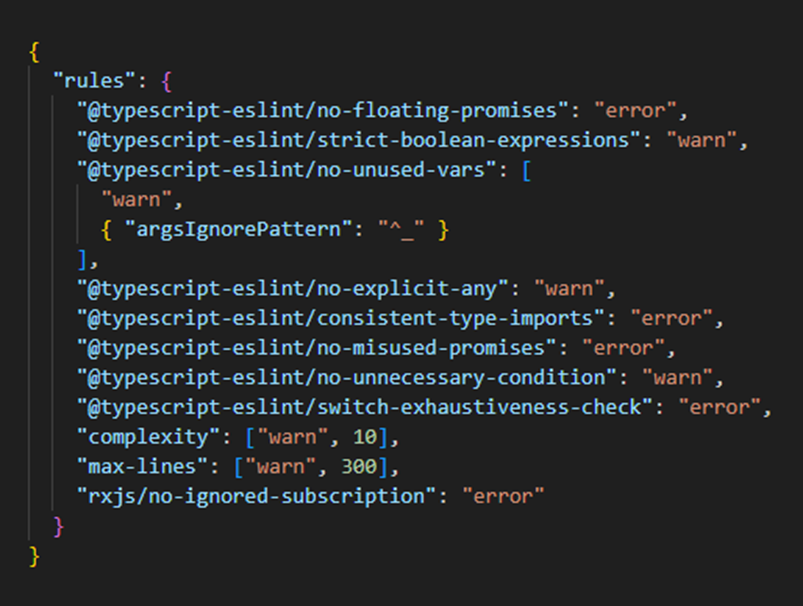
Final Example (All Rules Together)
.png)
Final Thoughts
A good ESLint setup is not about having more rules, it’s about having rules that actively prevent real problems.
These rules work because they:
- make async behavior explicit
- remove ambiguity from conditions
- enforce type safety
- highlight complexity before it becomes unmanageable
- prevent common Angular pitfalls like memory leaks
A well-configured ESLint setup doesn’t slow you down.
It removes entire categories of bugs from your codebase.
And over time, that makes a much bigger difference than any single refactor or code review.